Hoppa till huvudinnehåll

Home Office & Utility

Computer Mice

A mouse is the tool your hand lives on all day, and the best ones need nothing but a USB port · no driver download, no account, no app running in the background. Our premium pick, the Logitech G203 LIGHTSYNC, is a wired six-button mouse with a hardware DPI-cycle button and onboard memory, so every button and speed works the instant you plug it in. The budget Logitech M100 is the simplest dependable wired mouse there is · plug it in and it works, on any operating system. Neither needs software for full function, and neither has a screen, a battery, or a radio.

Which one's for you?

TLDR Both are wired USB mice that work fully plug-and-play · no required software, no wireless, no account. The Logitech G203 LIGHTSYNC adds a hardware DPI-cycle button, six buttons, and onboard memory (the G HUB app is optional, only for RGB/macros); the Logitech M100 is a 3-button, 1000-DPI mouse that needs no downloads or setup for the least money.
Premiumval

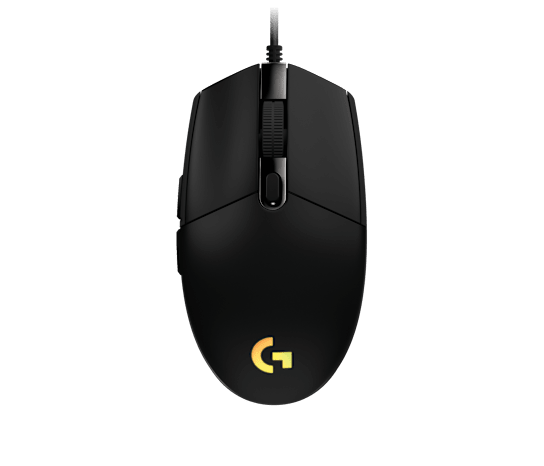
Logitech G203 LIGHTSYNC Wired Gaming Mouse (Black)

A wired USB gaming mouse with a 6-button layout, a physical DPI-cycle button, and onboard memory, so DPI switching and all buttons work the moment you plug it in. The optional G HUB app only adds RGB and macro customization · the mouse is fully usable without ever installing it.

Kolla priset på Amazon →

ToggleLog tjänar en provision på kvalificerade köp via Amazon. Det påverkar inte priset du betalar.

Specification Premiumval Logitech G203 LIGHTSYNC Wired Gaming Mouse (Black)
Connection Wired USB Type-A, plug-and-play[2]
Works without software Yes · clicks, side buttons, and DPI-cycle button function with no G HUB install (onboard memory)[3]
DPI button Dedicated top-shell button cycles 400/800/1600/3200 in hardware[3]
Default buttons Left, right, wheel click, forward, back, DPI cycle[3]
Max DPI 8000 (adjustable 200-8000)[2]
Programmable buttons 6[2]
Onboard memory Profiles stored on the mouse, usable on any PC without software[4]
Cable length 6.89 ft (2.1 m)[4]
Weight 85 g[4]
Polling rate 1000 Hz (1 ms)[4]
Display/screen None · physical controls only[1]
Driver requirement -
DPI -
Buttons -
Shape -
OS support -
Model number -
Power -
Manual View manual (PDF)

Best for

Someone who wants a precise wired mouse with on-the-fly DPI and extra buttons that all work driverless.

Skip if

Someone with large hands wanting a tall ergonomic palm-grip shape, or anyone who wants a fully wireless mouse.

Repair parts

Replacement PTFE mouse feet/skates: Hotline Games / generic G203 feet set Adhesive glide pads cut for the G203 footprint; restores smooth tracking when stock feet wear.
Micro switch (main click): Omron/Kailh 3-pin micro switch Solder-in replacement for a worn or double-clicking left/right button; requires basic soldering.
Kolla priset på Amazon →

ToggleLog tjänar en provision på kvalificerade köp via Amazon. Det påverkar inte priset du betalar.

Bästa budget

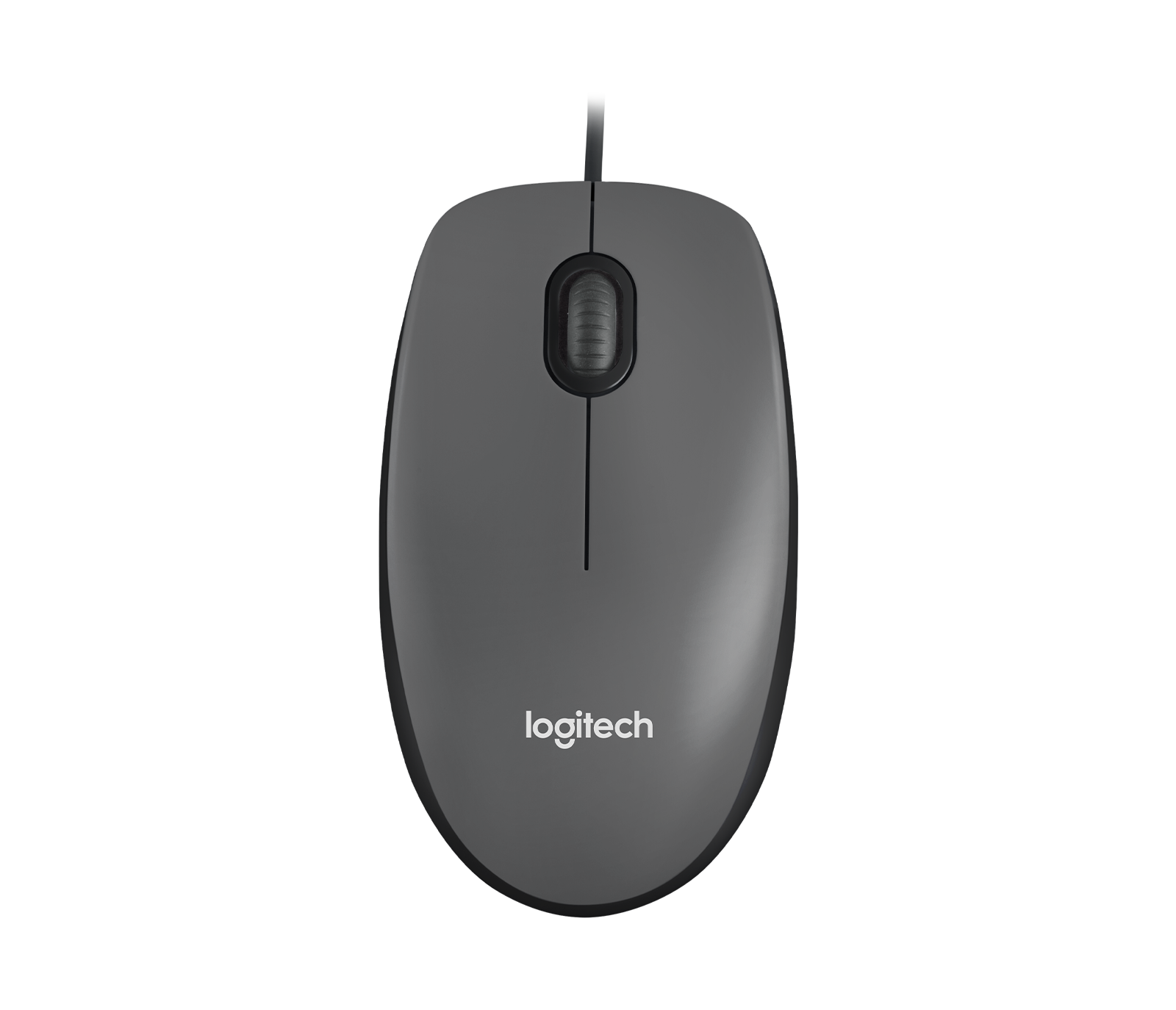
Logitech M100 Corded Mouse (Black)

A no-frills full-size wired USB mouse that, in Logitech's words, needs no downloads, no setup, and no fuss · just plug it in and it works. Ambidextrous shape with 1000 DPI optical tracking for everyday computing.

Kolla priset på Amazon →

ToggleLog tjänar en provision på kvalificerade köp via Amazon. Det påverkar inte priset du betalar.

Specification Bästa budget Logitech M100 Corded Mouse (Black)
Connection Wired USB, corded[6]
Works without software Yes · plug the cable into USB and it is ready, no downloads or setup[7]
DPI button -
Default buttons -
Max DPI -
Programmable buttons -
Onboard memory -
Cable length -
Weight -
Polling rate -
Display/screen None · physical controls only[5]
Driver requirement None · no software to install[7]
DPI 1000 (high-definition optical tracking)[7]
Buttons 3 (left, right, scroll-wheel click)[6]
Shape Full-size ambidextrous, right or left hand[6]
OS support Windows, macOS, Linux, Chromebook-certified[7]
Model number 910-001601[6]
Power USB bus-powered, no batteries[7]
Manual View manual (PDF)

Best for

Anyone who wants the simplest possible reliable wired mouse with absolutely no software or setup.

Skip if

Gamers or anyone needing adjustable DPI, extra buttons, or wireless freedom.

Repair parts

USB cable strain-relief / re-solder: M100 (910-001601) The most common failure point is the cable near the body; re-soldering the lead or splicing restores function.
Scroll wheel encoder: Generic 9mm rotary mouse encoder Solder-in replacement for an erratic or non-scrolling wheel; inexpensive and standard across budget mice.
Kolla priset på Amazon →

ToggleLog tjänar en provision på kvalificerade köp via Amazon. Det påverkar inte priset du betalar.

How they compare

Specification Premiumval Logitech G203 LIGHTSYNC Wired Gaming Mouse (Black) Bästa budget Logitech M100 Corded Mouse (Black)
Connection Wired USB Type-A, plug-and-play[2] Wired USB, corded[6]
Works without software Yes · clicks, side buttons, and DPI-cycle button function with no G HUB install (onboard memory)[3] Yes · plug the cable into USB and it is ready, no downloads or setup[7]
DPI button Dedicated top-shell button cycles 400/800/1600/3200 in hardware[3] -
Default buttons Left, right, wheel click, forward, back, DPI cycle[3] -
Max DPI 8000 (adjustable 200-8000)[2] -
Programmable buttons 6[2] -
Onboard memory Profiles stored on the mouse, usable on any PC without software[4] -
Cable length 6.89 ft (2.1 m)[4] -
Weight 85 g[4] -
Polling rate 1000 Hz (1 ms)[4] -
Display/screen None · physical controls only[1] None · physical controls only[5]
Driver requirement - None · no software to install[7]
DPI - 1000 (high-definition optical tracking)[7]
Buttons - 3 (left, right, scroll-wheel click)[6]
Shape - Full-size ambidextrous, right or left hand[6]
OS support - Windows, macOS, Linux, Chromebook-certified[7]
Model number - 910-001601[6]
Power - USB bus-powered, no batteries[7]
Manual View manual (PDF) View manual (PDF)

Which one is right for you?

Premiumval Logitech G203 LIGHTSYNC Wired Gaming Mouse (Black) Bästa budget Logitech M100 Corded Mouse (Black)
Best for Someone who wants a precise wired mouse with on-the-fly DPI and extra buttons that all work driverless. Anyone who wants the simplest possible reliable wired mouse with absolutely no software or setup.
Skip if Someone with large hands wanting a tall ergonomic palm-grip shape, or anyone who wants a fully wireless mouse. Gamers or anyone needing adjustable DPI, extra buttons, or wireless freedom.

Repair parts

Search terms to paste directly into Google or Amazon. Copy the term and search.

Part Premiumval Logitech G203 LIGHTSYNC Wired Gaming Mouse (Black) Bästa budget Logitech M100 Corded Mouse (Black)
Replacement PTFE mouse feet/skates Hotline Games / generic G203 feet set Adhesive glide pads cut for the G203 footprint; restores smooth tracking when stock feet wear. -
Micro switch (main click) Omron/Kailh 3-pin micro switch Solder-in replacement for a worn or double-clicking left/right button; requires basic soldering. -
USB cable strain-relief / re-solder - M100 (910-001601) The most common failure point is the cable near the body; re-soldering the lead or splicing restores function.
Scroll wheel encoder - Generic 9mm rotary mouse encoder Solder-in replacement for an erratic or non-scrolling wheel; inexpensive and standard across budget mice.

Logitech G203 LIGHTSYNC Wired Gaming Mouse (Black): In Depth

The Logitech G203 LIGHTSYNC is a wired six-button mouse whose DPI button and side buttons all work the instant you plug it in · the G HUB app is optional, only for RGB and macros.

What the specs tell you

Full function with no software. The top-shell button cycles 400/800/1600/3200 DPI in hardware and the forward/back thumb buttons work by default, all stored in onboard memory rather than a cloud account.

8000 DPI sensor, 1000 Hz, 85 g. The sensor adjusts 200 to 8000 DPI with a 1 ms polling rate on a 6.9 ft cable, a real step up from a basic office mouse while staying fully driverless.

Repairable, not disposable. Worn glide feet take a cheap PTFE replacement set, and a double-clicking button is a standard solder-in Omron/Kailh micro switch swap.

Logitech M100 Corded Mouse (Black): In Depth

The Logitech M100 is the simplest dependable wired mouse there is · plug the USB cable in and it works, with no downloads, setup, or account.

What the specs tell you

No downloads, no setup, no fuss. Logitech’s own line is that you just plug it in; it is Chromebook-certified and works on Windows, macOS, and Linux with no driver to install.

1000 DPI, three buttons, bus-powered. A full-size ambidextrous shape with left, right, and scroll-wheel click, drawing power over USB so there are no batteries to mind.

The cable is the only weak point. When a budget mouse fails it is usually the cable near the body; re-soldering the lead or swapping the 9mm wheel encoder brings it back.

Verified screen-free

Before this pair is published we check each pick · the unit, its controls, its replacement parts, and the manual · against a fixed list. Both picks passed every check below.

  • Live and purchasable on Amazon
  • Real user manual on file, not a service manual
  • Every spec checked against its cited source
  • No companion app
  • No Bluetooth
  • No Wi-Fi or network connection
  • No account or login
  • No subscription or paywall
  • No cloud service it depends on
  • No firmware or software updates
  • No screen or digital display

Logitech G203 LIGHTSYNC Wired Gaming Mouse (Black) verified 2026-06-24 · Logitech M100 Corded Mouse (Black) verified 2026-06-24 · by ToggleLog

Sources

Every specification above is numbered to the document it comes from · the product's manual or the manufacturer's own page · so you can verify any claim yourself.
  1. Logitech G203 LIGHTSYNC · User Manual · manual (PDF)
  2. Logitech G203 Wired Gaming Mouse · Amazon
  3. Logitech G203 LIGHTSYNC · Best Buy Q&A (default buttons, DPI cycle)
  4. Logitech G203 LIGHTSYNC specs · Mouse Specs
  5. Logitech M100 · User Manual · manual (PDF)
  6. Logitech M100 Corded Mouse · Amazon
  7. Logitech M100 Optical USB Mouse · Logitech.com

← Se alla kategorier